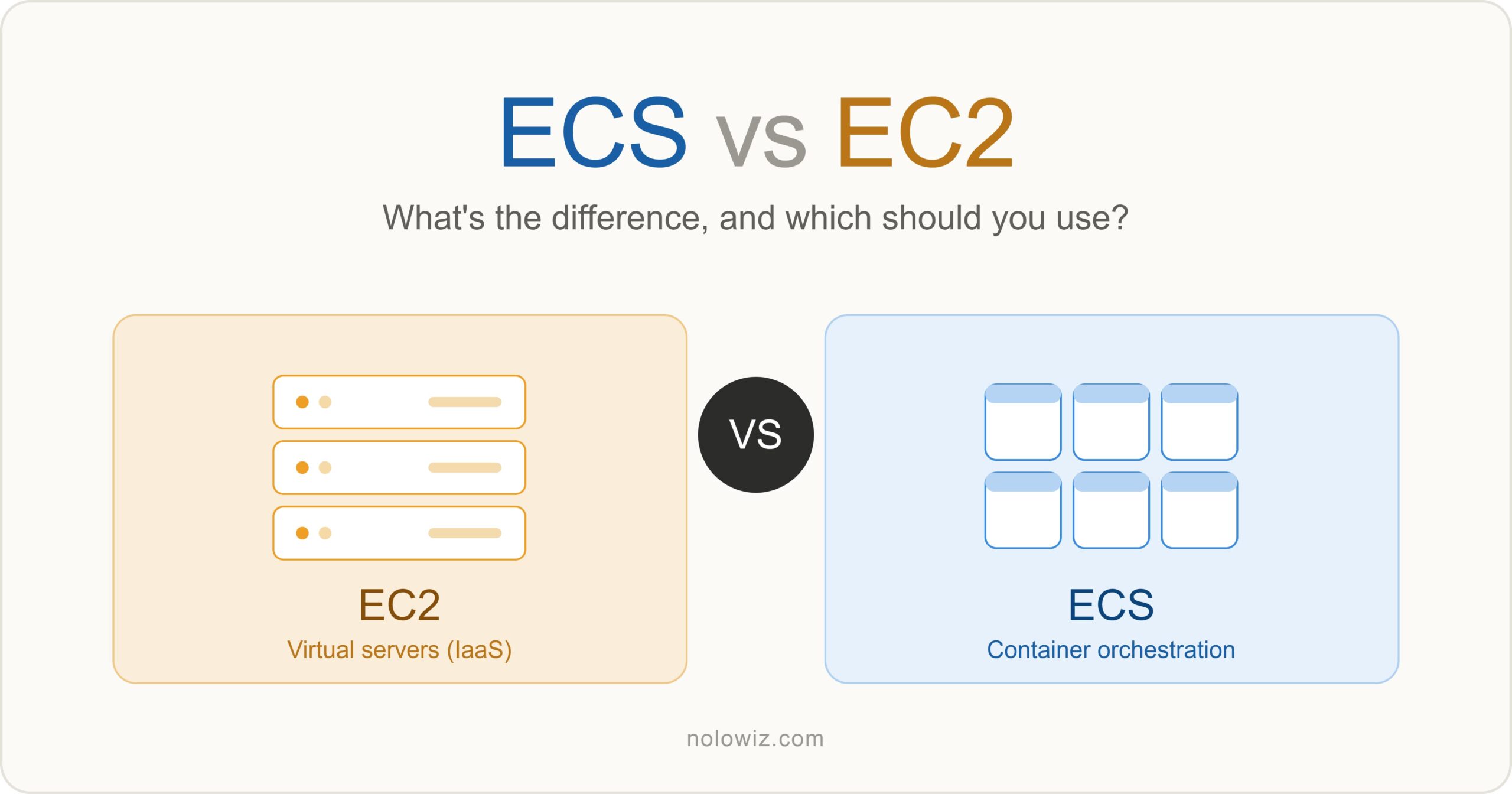
If you’ve spent any time reading about AWS, you’ve probably run into the question “ECS vs EC2?” and if the two names felt confusingly similar, you’re not alone. The truth is that comparing ECS and EC2 is a bit like comparing a delivery company to a truck. They’re related, they often work together, and in many setups one literally runs on top of the other.
In this article we’ll clear up the confusion, explain what each service actually does, and give you a practical framework for deciding what to use for your own workloads.
The Short Answer
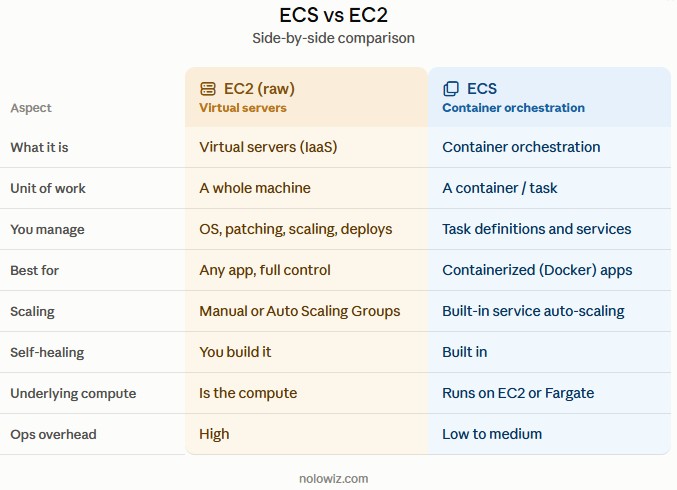
EC2 (Elastic Compute Cloud) gives you virtual servers in the cloud. You get an operating system, CPU, memory, and storage, and you’re responsible for everything you run on it.
ECS (Elastic Container Service) is a container orchestration service. It decides where and how your Docker containers run, restarts them when they crash, and scales them up and down.
The key thing most comparison articles bury: ECS is not an alternative to EC2 ECS runs on top of compute, and one of its two options for that compute is EC2 itself. The real decision isn’t usually “ECS or EC2.” It’s “should I manage my containers directly on EC2 by hand, or let ECS orchestrate them for me?”
What Is EC2?
EC2 is AWS’s Infrastructure-as-a-Service (IaaS) offering. When you launch an EC2 instance, you’re renting a virtual machine. You choose:
- An instance type (how much CPU and RAM – e.g.
t3.micro,m5.large) - An AMI (the base image / operating system, like Amazon Linux or Ubuntu)
- Storage (EBS volumes)
- Networking (VPC, security groups, public/private IPs)
Once it boots, that server is yours to manage. You SSH in, install software, deploy your application, patch the OS, and handle scaling. That flexibility is EC2’s biggest strength and its biggest burden you can run anything, but you also maintain everything.
EC2 is a good fit when you need:
- Full control over the operating system and environment
- Traditional (non-containerized) applications
- Specialized software that expects a full server
- Long-running workloads where you want to fine-tune the machine
What Is ECS?
ECS is a container orchestration platform. If your application is packaged as Docker containers, ECS handles the operational hard parts for you:
- Scheduling – placing containers onto available compute
- Health checks and self-healing – restarting failed containers automatically
- Scaling – running more or fewer copies based on load
- Service discovery and load balancing – integrating with an Application Load Balancer
- Rolling deployments – updating your app without downtime
In ECS you define a task definition (a blueprint describing your container image, CPU/memory, ports, and environment variables), then run it as a task or a long-running service.
Here’s a simplified task definition to make it concrete:
{
  "family": "my-web-app",
  "networkMode": "awsvpc",
  "containerDefinitions": [
    {
      "name": "web",
      "image": "123456789.dkr.ecr.us-east-1.amazonaws.com/my-web-app:latest",
      "cpu": 256,
      "memory": 512,
      "portMappings": [
        { "containerPort": 80, "protocol": "tcp" }
      ]
    }
  ],
  "requiresCompatibilities": ["FARGATE"],
  "cpu": "256",
  "memory": "512"
}
Notice there’s nothing in there about which server this runs on. That’s the point of orchestration you describe what you want running, and ECS figures out where.
The Part That Confuses Everyone: ECS Launch Types
ECS still needs actual compute to run your containers on. It offers two ways to provide it, and this is where EC2 re-enters the picture.
1.ECS on EC2 (the EC2 launch type)
You run a cluster of EC2 instances that you own and manage, and ECS packs your containers onto them. You’re still responsible for the instances patching, scaling the cluster, right-sizing but ECS handles the container-level orchestration on top.
Choose this when you want lower cost at scale, need specific instance types (GPUs, high memory), or want fine-grained control over the underlying hosts.
2.ECS on Fargate (the Fargate launch type)
Fargate is serverless compute for containers. There are no EC2 instances for you to see or manage you just specify how much CPU and memory each task needs, and AWS provisions the compute invisibly. You pay only for the resources your tasks use while they run.
Choose this when you want zero server management, variable or bursty workloads, and the simplest possible operations, and you’re willing to pay a bit more per unit of compute for that convenience.
So Which One Should You Use?
Instead of picking “ECS vs EC2” as rivals, walk through these questions:
Is your application containerized (Docker)? If no, and you don’t plan to containerize it, plain EC2 is your natural home. Run it like a traditional server.
If yes, you almost certainly want an orchestrator, which means ECS (or EKS if you specifically need Kubernetes).
If you’re using ECS, how much do you want to manage the servers?
- Want AWS to handle the compute entirely and value simplicity – ECS on Fargate
- Want lower cost at scale or need special instance types, and are comfortable managing a cluster – ECS on EC2
A quick rule of thumb:
- Single traditional app, or you need OS-level control – EC2
- Containers, and you want the least operational work – ECS + Fargate
- Containers at large scale where cost matters – ECS + EC2
A Note on Pricing
Pricing is where the trade-offs become tangible, and AWS pricing changes over time, so always confirm current rates in the AWS pricing calculator. In general terms:
- EC2 – you pay for the instance whether it’s busy or idle. Reserved Instances and Savings Plans cut costs significantly for steady workloads.
- ECS itself – there’s no extra charge for the ECS control plane. You only pay for the underlying compute.
- ECS on EC2 – you pay standard EC2 prices, so you can hit lower per-unit costs at scale but you pay for idle capacity.
- ECS on Fargate – you pay per vCPU and GB of memory that your tasks consume, billed by the second. Simpler and often cheaper for spiky or low-utilization workloads, but usually pricier per unit for constant, high-utilization ones.
Frequently Asked Questions
Is ECS a replacement for EC2? No. ECS orchestrates containers and can even run on EC2. They solve different problems and frequently work together.
Can I run containers on EC2 without ECS? Yes, you can install Docker on an EC2 instance and run containers manually. But you’d be hand-building the scheduling, health checks, and scaling that ECS gives you for free.
What about EKS? EKS is AWS’s managed Kubernetes service. It’s an alternative to ECS for orchestration (not to EC2), and it also runs on EC2 or Fargate. Choose EKS if you specifically want Kubernetes; choose ECS for a simpler, more AWS-native experience.
What’s the difference between Fargate and EC2 for ECS? Both provide the compute ECS runs on. With EC2 you manage the servers; with Fargate you don’t manage any servers at all.
Conclusion
“ECS vs EC2” is really a comparison between a building block (EC2, raw virtual servers) and a management layer (ECS, container orchestration) and ECS often sits directly on top of EC2. If you’re running traditional applications and want full control, EC2 is your foundation. If you’re running Docker containers and want automated scheduling, scaling, and healing, ECS is the tool, and your next choice is simply whether to back it with EC2 (more control, cheaper at scale) or Fargate (zero server management). Get that mental model right and the “versus” mostly disappears you’ll know exactly which piece you need, and when to combine them.