Running Large Language Models (LLMs) locally is becoming increasingly important for developers who care about privacy, cost, latency, and offline access. Ollama makes this practical by providing a clean CLI and a simple HTTP API to run models like Llama, Mistral, Gemma, and more on your own machine.
In this post, we’ll explore what the Ollama API is, how it works, and how to use it in real applications.
Ollama is a local AI runtime that lets you run open-source large language models on your own machine. It provides a simple CLI and HTTP API to download, manage, and interact with models privately, offline, and without relying on cloud-based AI services. To learn Essential Ollama Commands read our article.
Installing Ollama
First of all download and install ollam from the official site.
Verify installation:
ollama --versionRun a model in this demo we will use qwen2.5:latest model.
ollama run qwen2.5:latestOllama API Basics
Ollama exposes REST APIs ,it can be used with other applications.Ollama exposes a local HTTP server by default at
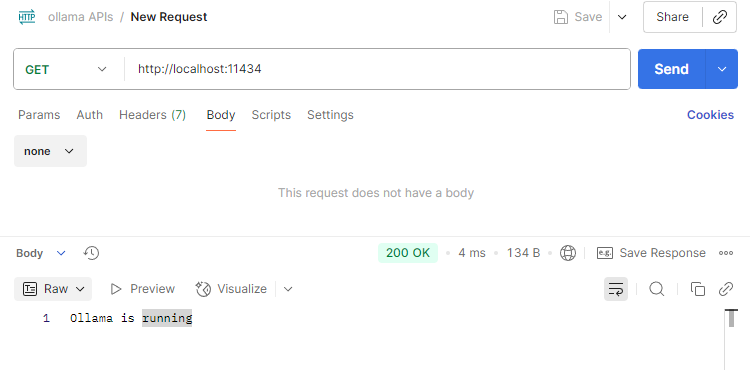
http://localhost:11434We can interact with standard REST API calls. If we send a GET request to http://localhost:11434 we will get following response.
Ollama provides following APIs:
- Text generation API
- Chat completion API
- Embedding generation API
- Version API
1. Generate Text with Ollama API
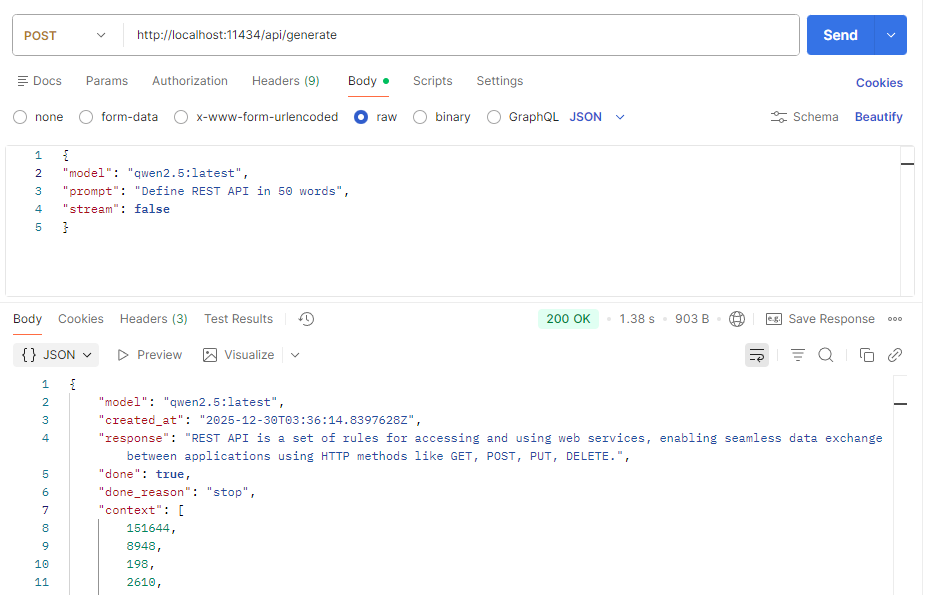
To generate text using ollama API use the below API
POST http://localhost:11434/api/generateExample request body :
{
"model": "qwen2.5:latest",
"prompt": "Define REST API in 50 words"
}
As we can see that generate API will return stream of JSON objects. The response is streamed by default, making it suitable for chat UIs. To disable streaming use “stream : false” in the request body.
2. Generate a chat completion
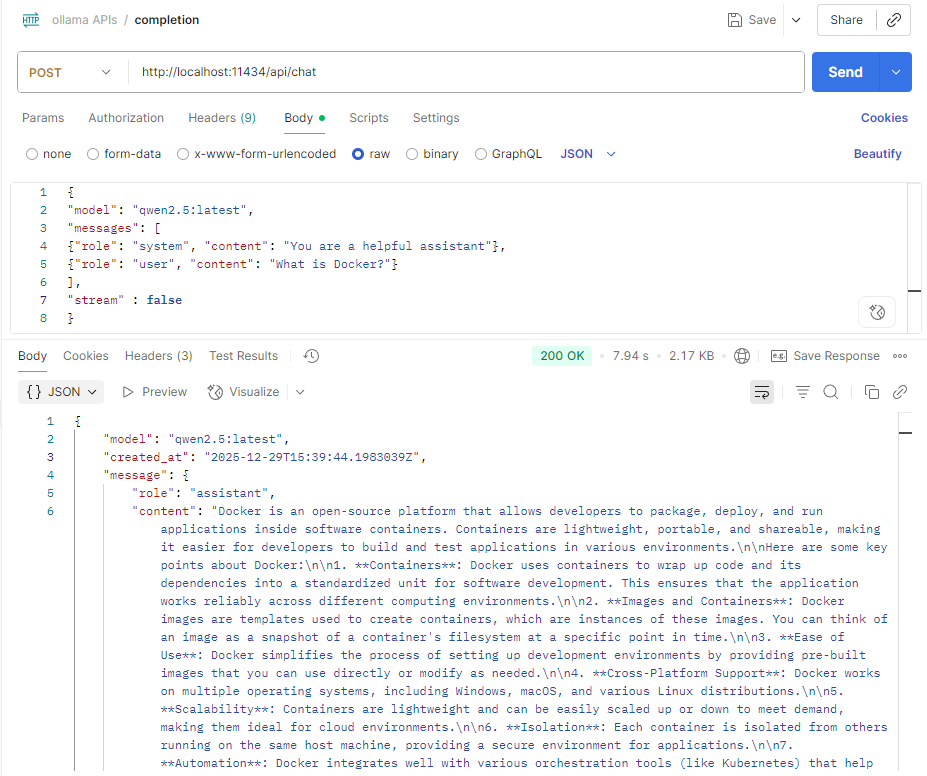
For conversational use cases we can use the following Ollama API endpoint :
POST /api/chatExample request body :
{
"model": "qwen2.5:latest",
"messages": [
{"role": "system", "content": "You are a helpful assistant"},
{"role": "user", "content": "What is Docker?"}
],
"stream" : false
}
3. Generate Embedding
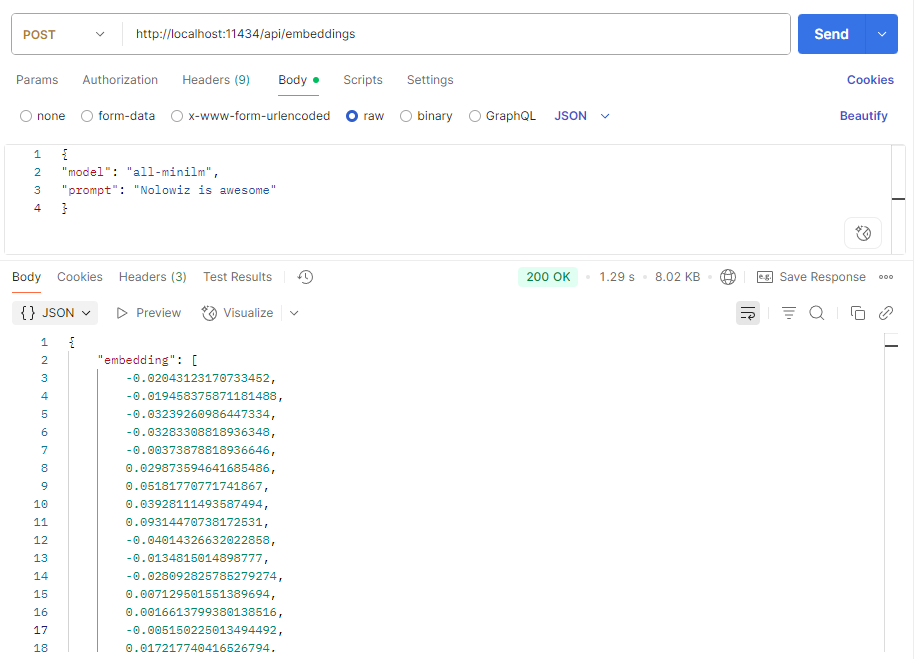
Ollama also supports embeddings for semantic search and RAG systems. To generate embedding use the following API endpoint
POST /api/embeddingsExample request body
{
"model": "all-minilm",
"prompt": "Nolowiz is awesome"
}
4. Version
This API endpoint returns the version of Ollama
GET /api/version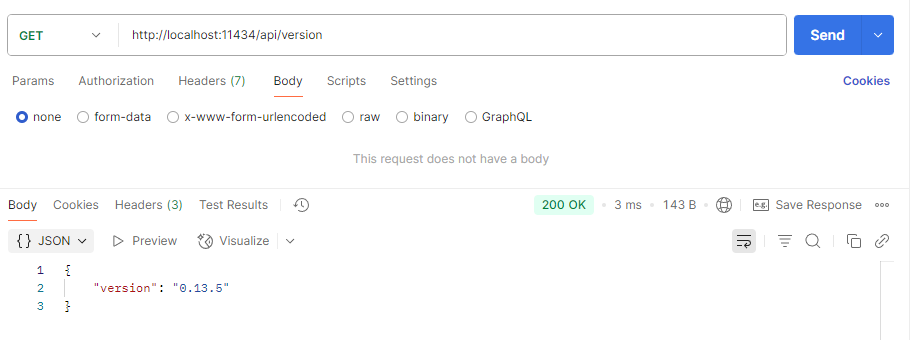
Conclusion
The Ollama API makes running LLMs locally simple, developer‑friendly, and practical. If you want control over your data, predictable costs, and low‑latency inference, Ollama is one of the best tools available today.